
Performance meeting content
Last modified: 22 May, 2024
|
Chapter performance figures can be delegated to members by assigning them from Chapter > Settings. The member you assign will receive a link from BNI+ with access to the Performance administration. Leadership can also select the block from the HOME view or from the menu under Chapter > Performance. |
 |
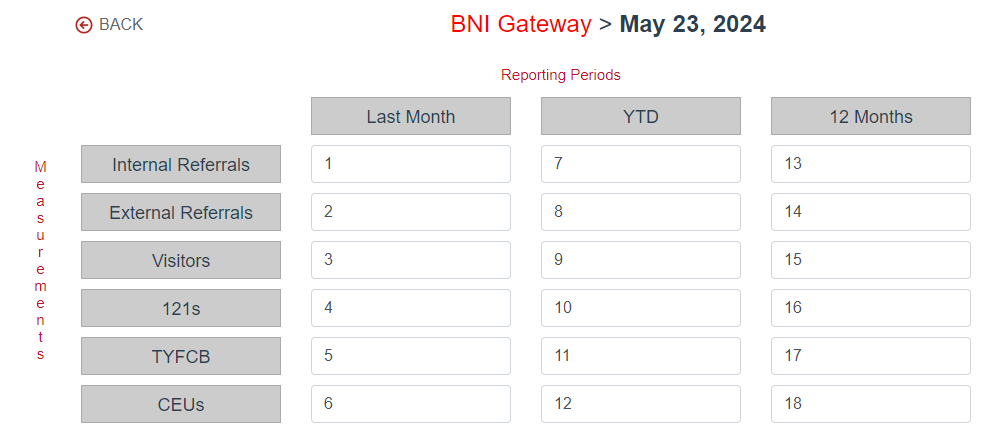
Chapter performance is managed by meeting date and reporting periods. Simply enter the data for the meeting date and it will be available to the vice president when presenting.
|
|
Enter the 5 key measurements for each reporting period:
|
Chapter performance while delivering the meeting
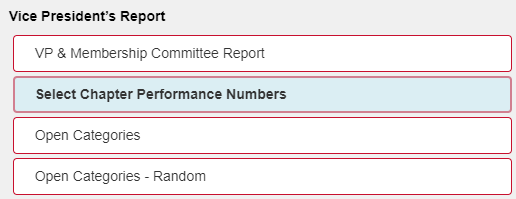
Chapter performance reports are presented during the Vice President’s report.
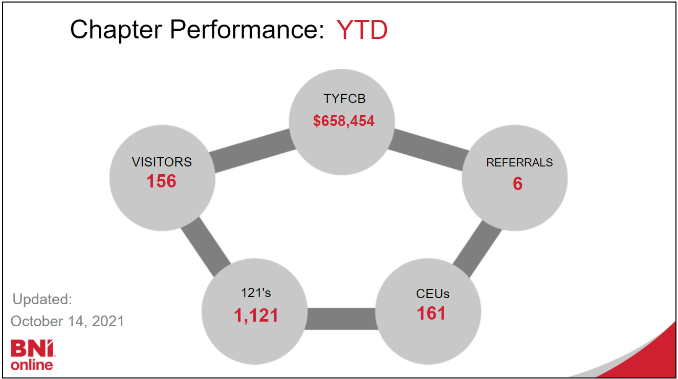
When the Chapter Performance slide is selected, the controller will display options to select reporting periods which then display the performance slides.
|
|
 |
Please note:
- Your region sets the reporting periods available to all chapters.
- BNI+ is not directly connected with BNI Connect. You will therefore require access to BNI Connect to report the figures required. All leadership should have received training on how to obtain these figures.