
Attendance Overview
Last modified: 21 May, 2024
BNI+ tracks attendance and integrates visitor information into the script and slides.
- Before the meeting – Manually enter or import visitors from BNI Connect.
- During the meeting – Mark visitors as present, manually enter new visitors. Mark members as absent/late.
- After the meeting – Receive an attendance report.
| The Attendance Console is used to manage the attendance of the meeting. From here, you can record all meeting visitors as well as present, late or absent members. | 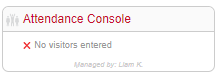 |
Leadership can access the attendance console from HOME.
You can assign one or more members to manage attendance by going to Chapter > Settings and scrolling down to Manages Attendance. Members you assign will receive regular notifications with links to access the attendance console directly.
Managing attendance
- Visitors can be imported or entered one at a time.
- Visitors can also be marked as Observers, Subs or Regional contacts. Attendance managers can edit a visitor entry and re-assign their type.
- A visitor can be registered or present. Imported visitors will be set to registered. On the day of the meeting, mark all present visitors. The president’s script will only include present visitors.
- BNI+ also provides a unique URL that can be pasted into the meeting chat and allows visitors to self-register.
- An attendance report is emailed to the manager shortly after the meeting ends. Use this to update your records on BNI Connect.
- The Attendance Console automatically refreshes with any changes by other users or the visitor self-registration.