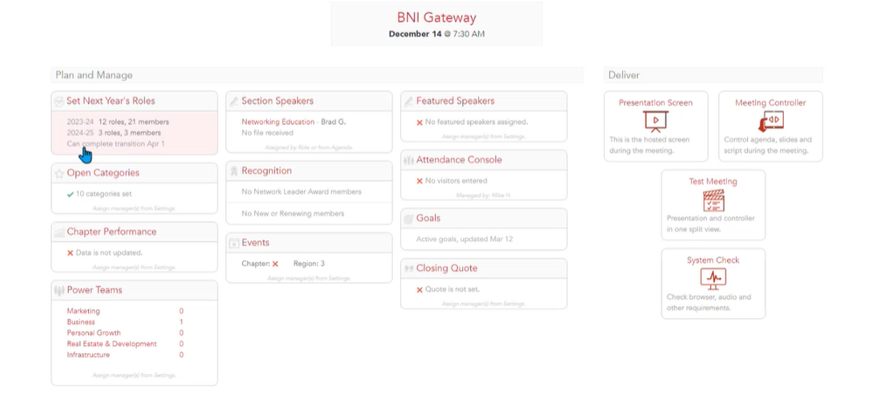
Year-end transition
Last modified: 14 May, 2024
The Year-end feature of BNI+ serves as a valuable tool for strategically planning the upcoming year for members holding leadership roles. This feature is particularly useful for forecasting team transitions, as responsibilities for roles within Chapters are handed over to new members on an annual basis. The following steps detail how to efficiently plan and assign incoming individuals to roles for the upcoming year within BNI+:
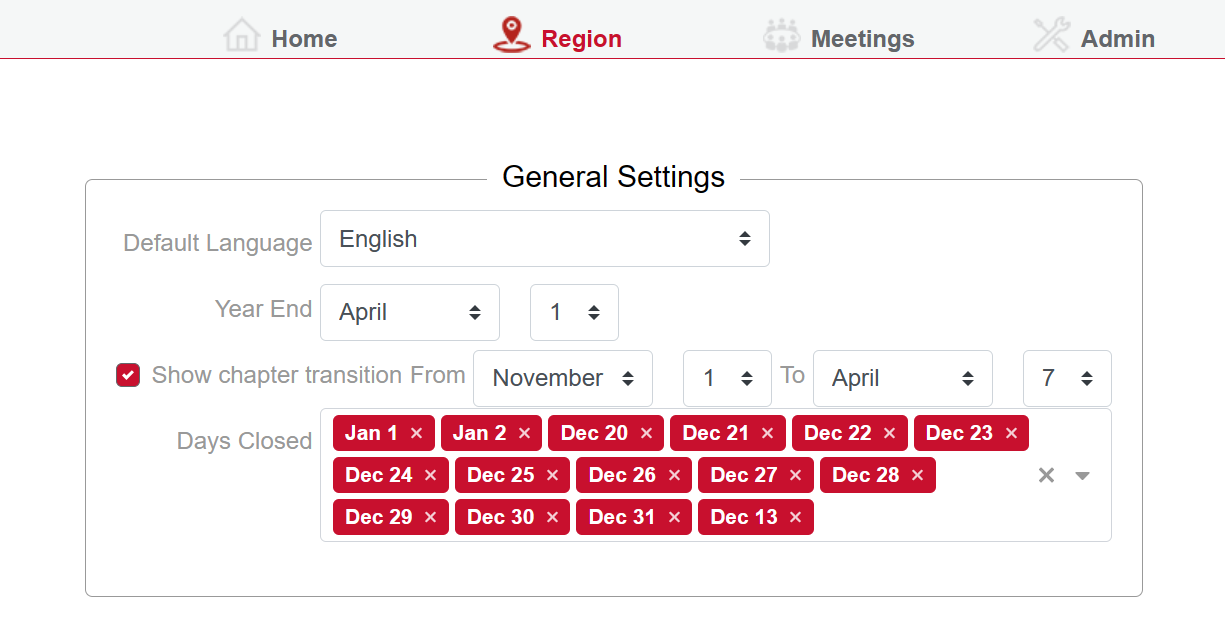
- Navigate to the "Region > General Settings" window and ensure the "Chapter Transition from checkbox" is selected.
In this section, access the planning view for next year's roles. You will find categories for roles, the current year, and the names of members currently holding each role. Adjacent to this information is a column designated for the upcoming year.
Assign members for the upcoming year by entering their details in the respective column. Additionally, log their information on the transition page within BNI+.
Training for incoming roles is scheduled for February, with new members officially commencing their roles on April 1st. Each Region conducts training sessions specific to the upcoming role transitions. Chapters have the flexibility to load and organize the transition timing based on their unique needs.