
Attendance - Before the Meeting
Last modified: 21 May, 2024
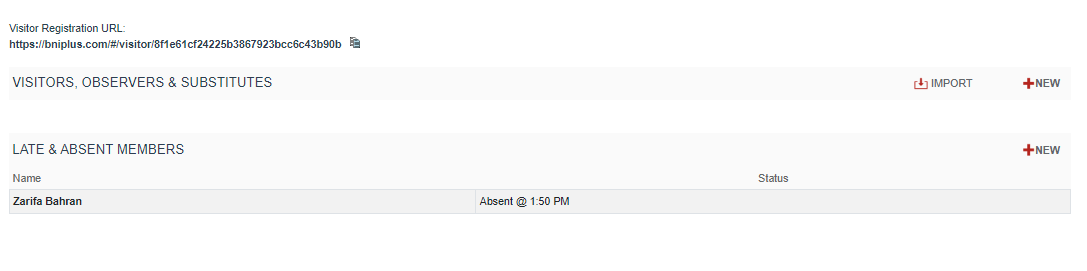
The attendance console tracks meeting attendance in two sections: the top section is for visitors while the bottom section is for members.
To add a visitor manually, select NEW.
To edit a visitor, select them from the list.
Both visitor and member entries can be deleted by selecting them first.
Importing visitors from BNI Connect before the meeting:
It is a two-step process to load visitors:
- Export from BNI Connect
- Import to BNI+
Export the visitor file from BNI Connect as follows:
- Click to Reports > Chapter
- Select the Visitor Registration Report
- Select the dates for the past week
- Export visitors without headers
- Save the exported file locally to your device.
Importing visitors from BNI Connect:
- From the Visitors, Observers and Substitutes section of the Attendance Console, select IMPORT
- Select the file you had saved when exporting visitors from BNI Connect
- BNI+ will display a preview of the file and match the inviting member
- Unmatched visitors will be highlighted in red and can be corrected during import
- Imported visitors appear as Registered. Their attendance is confirmed on the day of the meeting by marking the visitor as Present