
Member co-managers for elements or sections
Last modified: 21 May, 2024
Members who are not in a leadership position will often assist with various elements or sections of the meeting.
Delegating meeting elements to members
The following meeting elements can be assigned to one or more members:
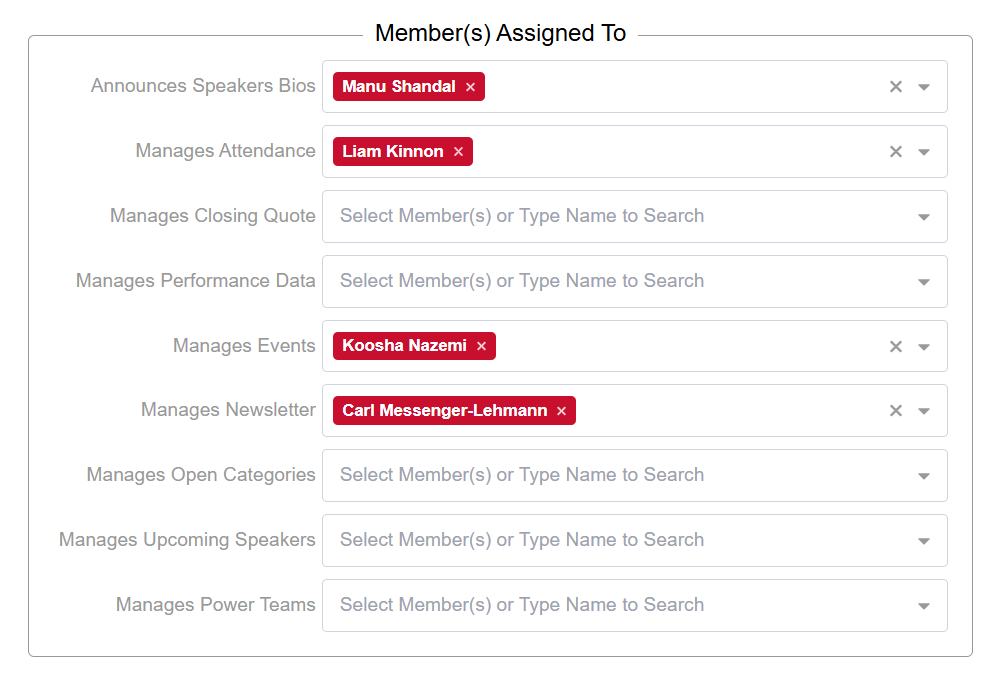
- Speaker bio announcement
- Attendance, loading and tracking visitors, is usually managed by the visitor host coordinator
- Chapter performance data for the VP, is usually managed by the VP
- Chapter social and networking events, are usually managed by the event coordinator
- Chapter newsletter management (manager to update and publish)
- Manage the open category list
- Manage the upcoming speaker list, usually the secretary treasurer
Delegating agenda sections to members
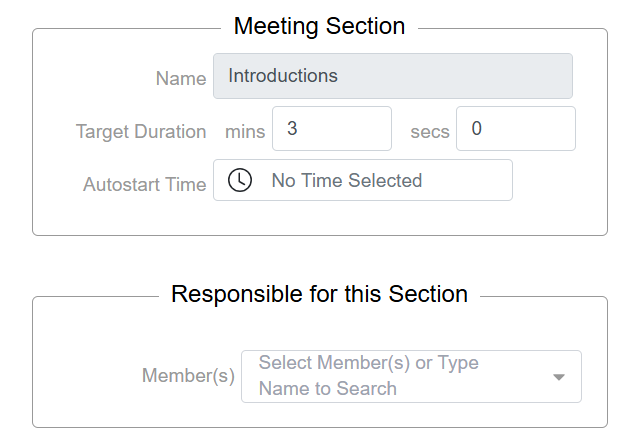
To assign members to manage specific sections of the meeting, like Networking Education, go to Meeting > Agenda and select the meeting section from the list.
- Select one or more members then click SAVE at the bottom of the member record.
- Managing the assignments to elements or sections does not require full access to BNI+.
Once the member has been assigned as a manager, they will receive routine weekly email notifications with a link to access the administration of that element or section.
Related Topics: