
Managing section speakers
Last modified: 21 May, 2024
Some sections of a BNI meeting are delivered by specific members such the education coordinator or vice president.
|
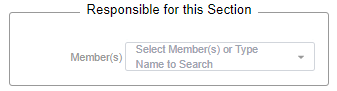
If a member routinely presents a section of the meeting, then you can assign them to that section from the agenda. To assign members to meeting sections, go to Meeting > Agenda and select the meeting section from the list. Select one or more members then select SAVE at the bottom of the member record. |
 |
| Assigned members will receive routine notifications to upload files for the next meeting. When they do, the HOME bucket will show the topic and filename. | 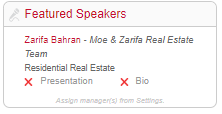 |
Starting a section speaker’s presentation
When the meeting is in progress, the president can select a section to see the files available. They then select Start Slide Show for the file they wish to present.
Both the president and the presenter can control the presentation after the slide show has started.
- The president can control the presentation using the arrows from their controller.
- The presenter can control the presentation from a confirmation link they receive by email.
Related Topics: