
Overview of the newsletter
Last modified: 21 May, 2024
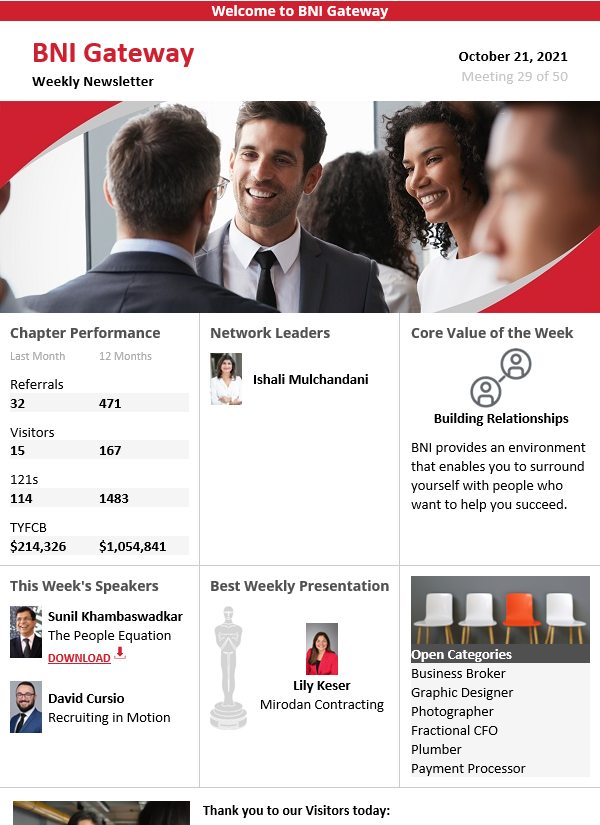
The chapter newsletter is an email publication designed to recap the meeting and follow up with all attendees.
|
One or more member managers can be assigned to manage the newsletter from Chapter > Settings.
One hour after the meeting ends, newsletter managers will receive a link to manage the content and send the newsletter. For those with BNI+ access, go to the newsletter admin by clicking to Meeting > Newsletter.
The newsletter is designed to be customized to each chapter and meeting. The admin options available depends on the elements that are included. If a newsletter element is removed, the admin will exclude it. |
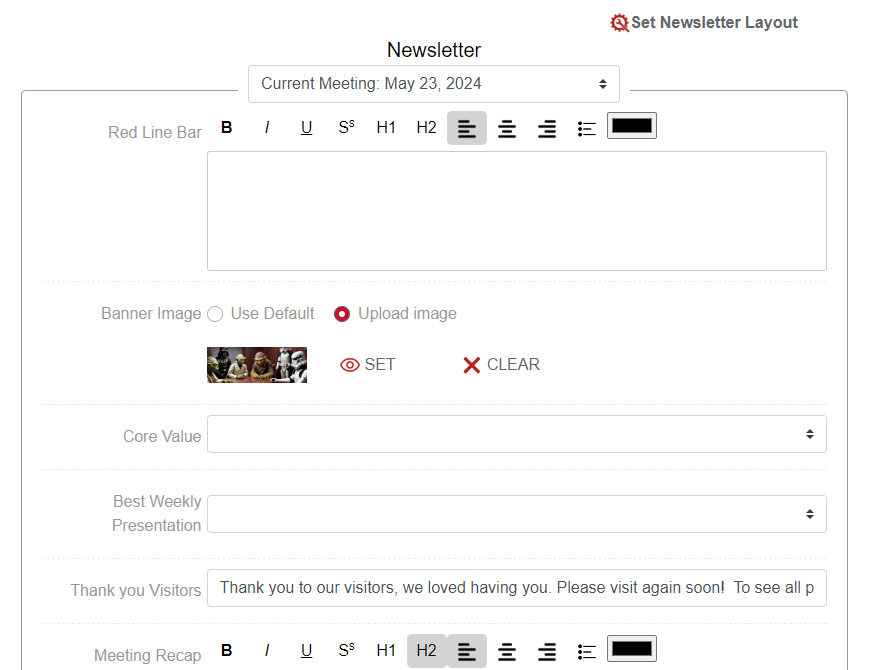 |
Chapters can customize the layout of the newsletter by selecting Set Newsletter Layout.
- Drag and drop the various newsletter sections, or “Blocks”, on the Layout
- Blocks that are in the Unused Blocks side will not be displayed in the Newsletter.
- Blocks such as Meeting Recap, Weekly Requests & Referrals, and News and Announcements can be resized:
- To make room for an expanded Block drag an adjacent Block to Unused Blocks
- Select + in the applicable Block to expand.
- Select – in the applicable Block to downsize.
|
Once the newsletter is customized, enter or update the content of the individual blocks from the admin view. Preview, Test & Send the newsletter from options at the bottom of the newsletter.
SEND will email a copy of the newsletter to the person who is logged in and using BNI+. This will allow you to preview it in your email client before sending.
Click SEND and confirm the prompt to send the newsletter to:
|
 |
NOTE: The newsletter contains information and links that are relevant to the current meeting. Information such as visitors & featured speakers will be cleared for the next meeting. A reminder note appears on the HOME view to indicate time remaining before switching to the next meeting date.
Related Topics: