
Setting the chapter’s meeting schedule & time allocations
Last modified: 22 May, 2024
Chapter settings define your meeting times, content managers and other options meeting features.
To setup the meeting schedule and times, go to Chapter > Settings and scroll down to the Meeting Time section.
|
First, set your day of the week and time zone. Then set 3 times to define the schedule: 1) Start Open Networking: this sets the time for open-networking and AV checks. 2) Meeting Start Time: the official start time of the meeting when the president begins the meeting. 3) End Time: sets the scheduled end time of the meeting. |
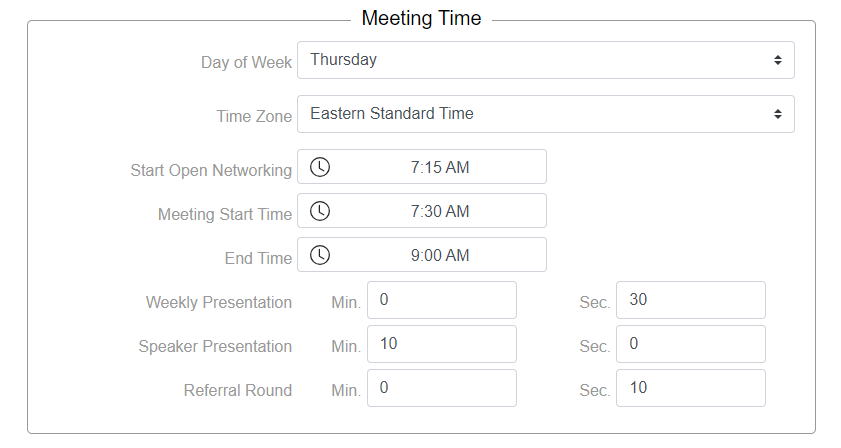 |
The time allocations for your weekly presentations, speaker presentations and referral round are also set here in minutes and seconds. These settings will apply to all members and visitors.
Meetings will be skipped for days when the region is closed due to holidays. Closed days are defined by the region.
BNI+ will automatically calculate the number of meetings based on your meeting day and the regional calendar which defines the days when the region is closed.
Related Topics: